# Next.js 使用 Drizzle-ORM
上篇文章 使用 Next.js 创建 Web 应用 中,我们的 Next.js 项目使用了 postgres.js (opens new window) 管理 PostgreSQL。 postgres.js (opens new window) 是通过手写 SQL 与数据库交互。虽然这种方式灵活且性能高,但随着项目复杂度的上升,手写 SQL 带来的可维护性、类型安全、数据库迁移等问题也逐渐暴露出来。
我开始寻找一种既具备类型安全、良好的开发体验,又不丢失原生 SQL 灵活性的 ORM 工具。最终,我选择了 Drizzle ORM (opens new window) —— 一个专为现代 TypeScript 项目设计的轻量级 ORM,它不仅具备静态类型推导、极低的学习成本,还原生支持 SQL。
这篇文章将结合我的实际开发经验,介绍在 Next.js 项目中如何集成 Drizzle ORM,并展示它在开发体验和可维护性方面带来的提升。
Drizzle-ORM 当前版本 0.44.1
# 连接数据库
Drizzle-ORM 支持多种数据库的连接。
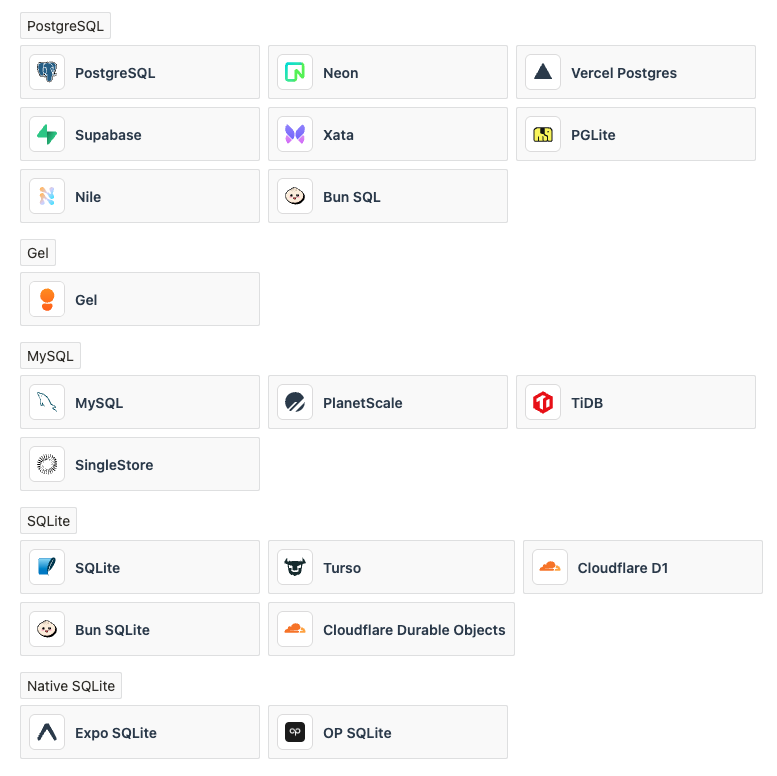
因为我们使用的是 PostgreSQL,这里介绍一下 Drizzle-ORM 怎么连接 PostgreSQL。Drizzle-ORM 支持通过 node-postgres (opens new window) 和 postgres.js (opens new window) 连接 PostgreSQL。
# 使用 node-postgres
- 安装
node-postgres
$ npm i drizzle-orm pg
$ npm i -D drizzle-kit @types/pg
2
Drizzle Kit (opens new window) 是一个 Drizzle-ORM 用来管理 SQL 数据库迁移的 CLI 工具。
- 创建
.env文件,添加环境变量
DATABASE_URL=postgres://username:password@host:port/db-name
- 将 Drizzle-ORM 连接到数据库
// src/db/index.ts
import { drizzle } from 'drizzle-orm/node-postgres';

const db = drizzle({
  connection: process.env.DATABASE_URL,
  casing: "snake_case",
});

export default db;
2
3
4
5
6
7
8
9
casing: "snake_case" 表示将数据库表列(column)使用 snake_case 格式命名,而对应的 JS 对象属性使用 camelCase 格式命名,比如数据库表列名是 created_at,对应的 JS 对象属性名称是 createdAt。更多详情请参考 Camel and Snake casing (opens new window)。
记得先创建数据库
- 创建表结构文件(schema)
Drizzle-ORM 支持单个或多个 schema 文件。
// src/db/schema.ts
import { sql } from "drizzle-orm";
import { boolean, integer, pgTable, text, timestamp, varchar } from "drizzle-orm/pg-core";

export const users = pgTable("users", {
  id: integer().primaryKey().generatedAlwaysAsIdentity(),
  username: varchar({ length: 50 }).notNull().unique(),
  email: varchar({ length: 255 }).notNull().unique(),
  password: varchar({ length: 255 }).notNull(),
  createdAt: timestamp({ mode: "date", precision: 3, withTimezone: false })
    .notNull()
    .default(sql`(now() at time zone 'utc')`),
  updatedAt: timestamp({ mode: "date", precision: 3, withTimezone: false })
    .notNull()
    .default(sql`(now() at time zone 'utc')`)
    .$onUpdate(() => new Date()),
});

export const tasks = pgTable("tasks", {
  id: integer().primaryKey().generatedAlwaysAsIdentity(),
  userId: integer()
    .references(() => users.id, { onDelete: "cascade" })
    .notNull(),
  title: varchar({ length: 255 }).notNull(),
  description: text(),
  completed: boolean().default(false),
  createdAt: timestamp({ mode: "date", precision: 3, withTimezone: false })
    .notNull()
    .default(sql`(now() at time zone 'utc')`),
  updatedAt: timestamp({ mode: "date", precision: 3, withTimezone: false })
    .notNull()
    .default(sql`(now() at time zone 'utc')`)
    .$onUpdate(() => new Date()),
});
2
3
4
5
6
7
8
9
10
11
12
13
14
15
16
17
18
19
20
21
22
23
24
25
26
27
28
29
30
31
32
33
34
我这里创建了两张表:一张用户表(users)、一张任务表(tasks)。关于创建表的详细介绍请看下面的 创建表 章节。
- 创建 Drizzle-ORM 配置文件
// drizzle.config.ts
import { defineConfig } from "drizzle-kit";

export default defineConfig({
  out: "./drizzle",
  schema: "./src/app/db/schema.ts", // 如果是多个 `schema` 文件,这里设置文件夹路径 `./src/app/db/schema`
  dialect: "postgresql", // 表示 postgresql 数据库
  dbCredentials: {
    url: process.env.DATABASE_URL!,
  },
  casing: "snake_case",
});
2
3
4
5
6
7
8
9
10
11
12
这个配置文件包含了有关数据库连接、迁移文件夹(out)、数据库表结构文件(schema)以及列名转换(casing)等信息。Drizzle Kit (opens new window) 将使用这个配置文件创建数据库表以及进行数据库迁移。
- 创建数据库表
$ npx drizzle-kit push
Drizzle Kit (opens new window) 不仅可以创建数据库表,它更大的用处是进行数据库迁移,后面会讲到。
# 使用 postgres.js
如果是使用 postgres.js,其连接过程大致是一样的,除了第 1 步和第 3 步。
- 安装
postgres.js
$ npm i drizzle-orm postgres
$ npm i -D drizzle-kit
2
- 将 Drizzle-ORM 连接到数据库
import { drizzle } from 'drizzle-orm/postgres-js';
const db = drizzle({
  connection: process.env.DATABASE_URL,
  casing: "snake_case",
});

export default db;
2
3
4
5
6
7
自此,我们成功连接了 PostgreSQL 数据库。接下来我们看一下常用的数据库操作。
# 创建表
在前面连接数据库章节中,我创建了两张表:一张用户表(users)、一张任务表(tasks)
// src/db/schema.ts
import { sql } from "drizzle-orm";
import { boolean, integer, pgTable, text, timestamp, varchar } from "drizzle-orm/pg-core";

export const users = pgTable("users", {
  id: integer().primaryKey().generatedAlwaysAsIdentity(),
  username: varchar({ length: 50 }).notNull().unique(),
  email: varchar({ length: 255 }).notNull().unique(),
  password: varchar({ length: 255 }).notNull(),
  createdAt: timestamp({ mode: "date", precision: 3, withTimezone: false })
    .notNull()
    .default(sql`(now() at time zone 'utc')`),
  updatedAt: timestamp({ mode: "date", precision: 3, withTimezone: false })
    .notNull()
    .default(sql`(now() at time zone 'utc')`)
    .$onUpdate(() => new Date()),
});

export const tasks = pgTable("tasks", {
  id: integer().primaryKey().generatedAlwaysAsIdentity(),
  userId: integer()
    .references(() => users.id, { onDelete: "cascade" })
    .notNull(),
  title: varchar({ length: 255 }).notNull(),
  description: text(),
  completed: boolean().default(false),
  createdAt: timestamp({ mode: "date", precision: 3, withTimezone: false })
    .notNull()
    .default(sql`(now() at time zone 'utc')`),
  updatedAt: timestamp({ mode: "date", precision: 3, withTimezone: false })
    .notNull()
    .default(sql`(now() at time zone 'utc')`)
    .$onUpdate(() => new Date()),
});
2
3
4
5
6
7
8
9
10
11
12
13
14
15
16
17
18
19
20
21
22
23
24
25
26
27
28
29
30
31
32
33
34
接下来我将详细介绍 Drizzle-ORM 怎么创建表。
# 列数据类型
数据库表的每一列都需要指定一个数据类型,比如整型、字符串、布尔类型等等。Drizzle-ORM 提供了对应的数据类型函数,比如 integer()、varchar()、boolean()、text()、timestamp() 等等,更多类型及使用方式请参考 PostgreSQL column types (opens new window)。
# 时间类型
时间类型 timestamp 需要注意一下。默认 timestamp 是带有时区的,即 updatedAt 初始插入是本地时区时间。这个本来也没有问题,但是如果使用 .$onUpdate(() => new Date()) 自动更新时,时间将变成 UTC 时间,从而导致时间不一致。这个有很多解决办法,但是我任务最好的解决办法是统一为 UTC 时间。
updatedAt: timestamp({ mode: "date", precision: 3, withTimezone: false })
  .notNull()
  .default(sql`(now() at time zone 'utc')`)
  .$onUpdate(() => new Date()),
2
3
4
withTimezone: false 表示不带时区。
.default(sql(now() at time zone 'utc')) 初始插入时,使用 UTC 时间。
# 枚举类型
Drizzle-ORM 支持枚举值,但是用法有些许差别,需要使用 pgEnum 定义枚举值。
import { pgEnum, pgTable } from "drizzle-orm/pg-core";
export const moodEnum = pgEnum('mood', ['sad', 'ok', 'happy']);
export const table = pgTable('table', {
  mood: moodEnum(),
});
2
3
4
5
CREATE TYPE mood AS ENUM ('sad', 'ok', 'happy');
CREATE TABLE IF NOT EXISTS "table" (
	"mood" mood
);
2
3
4
# 自定义类型
Drizzle-ORM 支持自定义类型,使用 .$type() 方法
type UserId = number & { __brand: 'user_id' };
type Data = {
	foo: string;
	bar: number;
};
const users = pgTable('users', {
  id: serial().$type<UserId>().primaryKey(),
  jsonField: json().$type<Data>(),
});
2
3
4
5
6
7
8
9
# 标识列(Identity Columns)
PostgreSQL 支持使用标识列来自动为列生成唯一的整数值。这些值使用序列生成,可以使用 GENERATED AS IDENTITY 子句进行定义。
GENERATED ALWAYS AS IDENTITY:数据库始终会为该列生成一个值。除非使用OVERRIDING SYSTEM VALUE子句,否则不允许手动插入或更新此列。GENERATED BY DEFAULT AS IDENTITY:数据库默认生成一个值,但也可以插入或更新手动值。如果提供了手动值,则将使用该手动值,而不是系统生成的值。
Drizzle-ORM 提供了相应的函数,更多详情请参考 Identity Columns (opens new window)。
generatedAlwaysAsIdentity()表示GENERATED ALWAYS AS IDENTITY。generatedByDefaultAsIdentity()表示GENERATED BY DEFAULT AS IDENTITY。
# 默认值与自动更新
Drizzle-ORM 使用 default() 为列提供默认值。
import { sql } from "drizzle-orm";
import { integer, pgTable, uuid } from "drizzle-orm/pg-core";
const table = pgTable('table', {
	integer1: integer().default(42),
	integer2: integer().default(sql`'42'::integer`),
	uuid1: uuid().defaultRandom(),
	uuid2: uuid().default(sql`gen_random_uuid()`),
});
2
3
4
5
6
7
8
CREATE TABLE IF NOT EXISTS "table" (
	"integer1" integer DEFAULT 42,
	"integer2" integer DEFAULT '42'::integer,
	"uuid1" uuid DEFAULT gen_random_uuid(),
	"uuid2" uuid DEFAULT gen_random_uuid()
);
2
3
4
5
6
此外,Drizzle-ORM 提供了 $default() 或 $defaultFn()(它们是同一函数的不同别名),您可以在运行时生成默认值并在插入中使用这些值。
import { text, pgTable } from "drizzle-orm/pg-core";
import { createId } from '@paralleldrive/cuid2';
const table = pgTable('table', {
	id: text().$defaultFn(() => createId()),
});
2
3
4
5
如果您想要在更新时,自动生成值,就像我们更新任务的 updatedAt 一样,可以使用 $update() 或 $updateFn()(它们是同一函数的不同别名)
updatedAt: timestamp({ mode: "date", precision: 3, withTimezone: false })
  .notNull()
  .default(sql`(now() at time zone 'utc')`)
  .$onUpdate(() => new Date()),
2
3
4
如果未提供默认值(或 $default),则在插入行时也会调用该函数,并将返回值用作列值。
关于默认值和自动更新的更多详情,请参考 Default value (opens new window)。
# 列约束
对于数据库的列约束 NOT NULL、UNIQUE、PRIMARY KEY、CHECK、INDEX,Drizzle-ORM 也提供了对应的函数,比如 notNull()、unique() 、primaryKey()、check()、index() 等,更多约束函数及使用方式请参考 Indexes & Constraints (opens new window)。
# 多列约束
notNull()、default(),只在单列中使用,而 unique() 、primaryKey() 可以用于多列。比如多列一起作为主键,可以使用 pgTable 提供的回调函数。
// primaryKey
export const booksToAuthors = pgTable("books_to_authors", {
  authorId: integer("author_id"),
  bookId: integer("book_id"),
}, (t) => [
  primaryKey({ columns: [t.bookId, t.authorId] }),
  // 自定义名称
  primaryKey({ name: 'custom_name', columns: [t.bookId, t.authorId] }),
]);

// unique
export const composite = pgTable('composite_example', {
  id: integer('id'),
  name: text('name'),
}, (t) => [
  unique().on(t.id, t.name),
  // 自定义名称
  unique('custom_name').on(t.id, t.name)
]);

// check
export const users = pgTable(
  "users",
  {
    id: uuid().defaultRandom().primaryKey(),
    username: text().notNull(),
    age: integer(),
  },
  (table) => [
    check("age_check1", sql`${table.age} > 21`),
  ]
);

// index or uniqueIndex
export const user = pgTable("user", {
  id: serial("id").primaryKey(),
  name: text("name"),
  email: text("email"),
}, (table) => [
  index("name_idx").on(table.name),
  uniqueIndex("email_idx").on(table.email)
]);
2
3
4
5
6
7
8
9
10
11
12
13
14
15
16
17
18
19
20
21
22
23
24
25
26
27
28
29
30
31
32
33
34
35
36
37
38
39
40
41
42
# 外键
Drizzle-ORM 使用 references() 或者 foreignKey() 定义外键,比如上面 tasks 表有一个指向 users 表的外键 userId,删除方式是 cascade (级联删除)。关于外键的更多详情,请参考 Foreign key (opens new window)。
export const tasks = pgTable("tasks", {
  id: integer().primaryKey().generatedAlwaysAsIdentity(),
  userId: integer()
    .references(() => users.id, { onDelete: "cascade" })
    .notNull(),
});

// 或者
export const tasks = pgTable("tasks", {
  id: integer().primaryKey().generatedAlwaysAsIdentity(),
  userId: integer().notNull(),
}, (t) => [
  foreignKey({
    columns: [t.userId],
    foreignColumns: [user.id],
    name: "custom_fk"
  })
]);
2
3
4
5
6
7
8
9
10
11
12
13
14
15
16
17
18
如果你想做一个自我引用,由于 TypeScript 的限制,你必须要么显式地设置返回类型,要么使用一个独立的 foreignKey() 函数。
import { serial, text, integer, foreignKey, pgTable, AnyPgColumn } from "drizzle-orm/pg-core";

export const user = pgTable("user", {
  id: serial("id"),
  name: text("name"),
  parentId: integer("parent_id").references((): AnyPgColumn => user.id)
});

// foreignKey
export const user = pgTable("user", {
  id: serial("id"),
  name: text("name"),
  parentId: integer("parent_id"),
}, (table) => [
  foreignKey({
    columns: [table.parentId],
    foreignColumns: [table.id],
    name: "custom_fk"
  })
]);
2
3
4
5
6
7
8
9
10
11
12
13
14
15
16
17
18
19
20
# 外键操作
您可以指定在修改父表中的引用数据时应该发生的操作。这些操作被称为“外键操作”。PostgreSQL为这些操作提供了几个选项。
CASCADE:当父表中删除一行时,子表中所有对应的行也将被删除。这确保了子表中不存在孤立的行。NO ACTION:这是默认操作。如果子表中存在相关行,则阻止删除父表中的行。父表中的DELETE操作将失败。RESTRICT:与NO ACTION类似,如果子表中存在从属行,则阻止删除父行。它本质上与NO ACTION相同,出于兼容性原因而存在。SET DEFAULT:如果父表中的某一行被删除,子表中的外键列(如果有)将被设置为其默认值。如果没有默认值,则DELETE操作将失败。SET NULL:当父表中删除一行时,子表中的外键列将被设置为NULL。此操作假定子表中的外键列允许NULL值。
与
ON DELETE类似,ON UPDATE也会在引用列发生更改时调用。可能的操作相同,但SET NULL和SET DEFAULT不能指定列列表。在这种情况下,CASCADE表示应将被引用列的更新值复制到引用行中。
Drizzle-ORM 的外键操作定义
export type UpdateDeleteAction = 'cascade' | 'restrict' | 'no action' | 'set null' | 'set default';
使用方式如下:
export const tasks = pgTable("tasks", {
  id: integer().primaryKey().generatedAlwaysAsIdentity(),
  userId: integer()
    .references(() => users.id, { onDelete: "cascade", onUpdate: "cascade" })
    .notNull(),
});

// 或者
export const tasks = pgTable("tasks", {
  id: integer().primaryKey().generatedAlwaysAsIdentity(),
  userId: integer().notNull(),
}, (t) => [
  foreignKey({
    columns: [t.userId],
    foreignColumns: [user.id],
    name: "custom_fk"
  })
  .onDelete('cascade')
	.onUpdate('cascade')
]);
2
3
4
5
6
7
8
9
10
11
12
13
14
15
16
17
18
19
20
关于外键操作的更多详情,请参考 Foreign key actions (opens new window)
# 关系(relations)
Drizzle-ORM 提出了一个关系的概念,能够以最简单和一致的方式查询关系数据,主要用于 Drizzle Queries。
# 一对一
下面的 users 和 profile_info 表是一对一关系
import { pgTable, serial, text, integer, jsonb } from 'drizzle-orm/pg-core';
import { relations } from 'drizzle-orm';

export const users = pgTable('users', {
	id: serial('id').primaryKey(),
	name: text('name'),
});

export const usersRelations = relations(users, ({ one }) => ({
	profileInfo: one(profileInfo),
}));

export const profileInfo = pgTable('profile_info', {
	id: serial('id').primaryKey(),
	userId: integer('user_id').references(() => users.id),
	metadata: jsonb('metadata'),
});

export const profileInfoRelations = relations(profileInfo, ({ one }) => ({
	user: one(users, { fields: [profileInfo.userId], references: [users.id] }),
}));
2
3
4
5
6
7
8
9
10
11
12
13
14
15
16
17
18
19
20
21
自我引用, users 表引用自己
import { pgTable, serial, text, integer, boolean } from 'drizzle-orm/pg-core';
import { relations } from 'drizzle-orm';

export const users = pgTable('users', {
	id: serial('id').primaryKey(),
	name: text('name'),
	invitedBy: integer('invited_by'),
});

export const usersRelations = relations(users, ({ one }) => ({
	invitee: one(users, {
		fields: [users.invitedBy],
		references: [users.id],
	}),
}));
2
3
4
5
6
7
8
9
10
11
12
13
14
15
16
# 一对多
下面的 users 和 posts 表是一对一关系
import { pgTable, serial, text, integer } from 'drizzle-orm/pg-core';
import { relations } from 'drizzle-orm';

export const users = pgTable('users', {
	id: serial('id').primaryKey(),
	name: text('name'),
});

export const usersRelations = relations(users, ({ many }) => ({
	posts: many(posts),
}));

export const posts = pgTable('posts', {
	id: serial('id').primaryKey(),
	content: text('content'),
	authorId: integer('author_id'),
});

export const postsRelations = relations(posts, ({ one }) => ({
	author: one(users, {
		fields: [posts.authorId],
		references: [users.id],
	}),
}));
2
3
4
5
6
7
8
9
10
11
12
13
14
15
16
17
18
19
20
21
22
23
24
25
# 多对多
多对多的关系稍微复杂一点,需要添加中间层。比如下面的 users 和 groups 表是多对多关系,需要添加 users_to_groups 中间层。
import { relations } from 'drizzle-orm';
import { integer, pgTable, primaryKey, serial, text } from 'drizzle-orm/pg-core';

export const users = pgTable('users', {
  id: serial('id').primaryKey(),
  name: text('name'),
});

export const usersRelations = relations(users, ({ many }) => ({
  usersToGroups: many(usersToGroups),
}));

export const groups = pgTable('groups', {
  id: serial('id').primaryKey(),
  name: text('name'),
});

export const groupsRelations = relations(groups, ({ many }) => ({
  usersToGroups: many(usersToGroups),
}));

export const usersToGroups = pgTable(
  'users_to_groups',
  {
    userId: integer('user_id')
      .notNull()
      .references(() => users.id),
    groupId: integer('group_id')
      .notNull()
      .references(() => groups.id),
  },
  (t) => [
		primaryKey({ columns: [t.userId, t.groupId] })
	],
);

export const usersToGroupsRelations = relations(usersToGroups, ({ one }) => ({
  group: one(groups, {
    fields: [usersToGroups.groupId],
    references: [groups.id],
  }),
  user: one(users, {
    fields: [usersToGroups.userId],
    references: [users.id],
  }),
}));
2
3
4
5
6
7
8
9
10
11
12
13
14
15
16
17
18
19
20
21
22
23
24
25
26
27
28
29
30
31
32
33
34
35
36
37
38
39
40
41
42
43
44
45
46
47
# 消除歧义
如果两个表之间有多个关系怎么办?可以使用 relationName 选项消除歧义。例如下面 users 和 posts 存在两种关系 author 和 reviewer。
import { pgTable, serial, text, integer } from 'drizzle-orm/pg-core';
import { relations } from 'drizzle-orm';

export const users = pgTable('users', {
	id: serial('id').primaryKey(),
	name: text('name'),
});

export const usersRelations = relations(users, ({ many }) => ({
	author: many(posts, { relationName: 'author' }),
	reviewer: many(posts, { relationName: 'reviewer' }),
}));

export const posts = pgTable('posts', {
	id: serial('id').primaryKey(),
	content: text('content'),
	authorId: integer('author_id'),
	reviewerId: integer('reviewer_id'),
});

export const postsRelations = relations(posts, ({ one }) => ({
	author: one(users, {
		fields: [posts.authorId],
		references: [users.id],
		relationName: 'author',
	}),
	reviewer: one(users, {
		fields: [posts.reviewerId],
		references: [users.id],
		relationName: 'reviewer',
	}),
}));
2
3
4
5
6
7
8
9
10
11
12
13
14
15
16
17
18
19
20
21
22
23
24
25
26
27
28
29
30
31
32
33
# 与外键的区别
您可能已经注意到, relations 看起来与外键类似—它们甚至有一个 references 属性。那么,它们之间有什么区别呢?
外键是数据库级别的约束,每次
insert/update/delete操作都会检查外键,如果违反约束则会抛出错误。而
relations是更高级别的抽象,它们仅用于在应用程序级别定义表之间的关系。它们不会以任何方式影响数据库模式,也不会隐式创建外键。
这意味着 relations 和外键可以一起使用,但它们并不相互依赖。
# 插入数据
Drizzle-ORM 使用 insert().values() 插入数据,比如我插入一个用户
export async function dbInsertUser(
	username: string,
  email: string,
  password: string
): Promise<DBUser> {
  try {
    const user: DBInsertUser = {
      username,
      email,
      password,
    };
    const result = await db.insert(users).values(user).returning();
    return result[0];
  } catch (error) {
    console.error("Error inserting user:", error);
    throw error;
  }
}
2
3
4
5
6
7
8
9
10
11
12
13
14
15
16
17
18
前面说过 Drizzle-ORM 是一个专为现代 TypeScript 项目设计的轻量级 ORM,它具备静态类型推导功能。
const result = db.insert(users).values(user).returning()
result 是类型推导结果是:
const result: {
  id: number;
  username: string;
  email: string;
  password: string;
  createdAt: Date;
  updatedAt: Date;
}[]
2
3
4
5
6
7
8
同时 Drizzle-ORM 也提供了 .$inferSelect, .$inferInsert 属性,方便我们定义类型。
export type DBUser = typeof users.$inferSelect;
export type DBInsertUser = typeof users.$inferInsert;
2
# 更新数据
Drizzle-ORM 使用 update().set().where() 更新数据,比如我插入一个任务
export async function dbUpdateTask(taskId: number, updates: { title?: string; completed?: boolean }): Promise<DBTask> {
  const dbUpdates = {
    ...updates,
    updatedAt: new Date(),
  };
  try {
    const result = await db.update(tasks)
    	.set(dbUpdates)
    	.where(eq(tasks.id, taskId))
    	.returning();
    return result[0];
  } catch (error) {
    console.error("Error updating task:", error);
    throw error;
  }
}
2
3
4
5
6
7
8
9
10
11
12
13
14
15
16
也可以不更新 updatedAt,因为我们创建表时,使用了 .$onUpdate(() => new Date())。如果更新时没有提供列值,则调用该函数,将返回值作为列值。如果列没有提供默认值(default 或者 $default()),则在插入行时也将调用该函数,并将返回值用作列值。
# 删除数据
Drizzle-ORM 使用 delete().where() 删除数据,比如我删除一个任务
export async function dbDeleteTask(taskId: number): Promise<number> {
  try {
    await db.delete(tasks).where(eq(tasks.id, taskId));
    return taskId;
  } catch (error) {
    console.error("Error deleting task:", error);
    throw error;
  }
}
2
3
4
5
6
7
8
9
# 查询数据
Drizzle-ORM 提供了两套查询数据的 API
- SQL Select
- Drizzle Queries
# SQL Select
和前面提到的插入数据、更新数据、删除数据一样使用 SQL 语句:select().from().where()。比如搜索当前用户创建的任务列表
export async function dbGetTasks(userId: number, title?: string): Promise<DBTask[]> {
  try {
    const filters = [eq(tasks.userId, userId)];
    if (title) {
      filters.push(ilike(tasks.title, `%${title}%`));
    }

    const result = await db
      .select()
      .from(tasks)
      .where(and(...filters))
      .orderBy(
        desc(tasks.completed),
        // CASE WHEN completed THEN updated_at END DESC
        sql`CASE WHEN ${tasks.completed} THEN ${tasks.updatedAt} END DESC`,
        // CASE WHEN NOT completed THEN created_at END ASC
        sql`CASE WHEN NOT ${tasks.completed} THEN ${tasks.createdAt} END ASC`,
      );
    return result;
  } catch (error) {
    console.error("Error fetching tasks by user ID:", error);
    throw error;
  }
}
2
3
4
5
6
7
8
9
10
11
12
13
14
15
16
17
18
19
20
21
22
23
24
# 过滤
Drizzle-ORM 通过 where() 函数过滤数据,同时提供了 eq()、gt()、like() 等多个过滤函数,以及 not()、and()、or() 多个组合函数。更多详情请参考 Filter and conditional operators (opens new window)。
比如获取已经完成的任务
const result = await db
  .select()
  .from(tasks)
  .where(eq(tasks.completed, true));
2
3
4
# 排序
Drizzle-ORM 通过 orderBy() 函数对数据进行排序。
asc():升序排列desc():降序排列
比如按创建时间降序排列
const result = await db
  .select()
  .from(tasks)
  .where(eq(tasks.completed, true));
	.orderBy(desc(tasks.createdAt));
2
3
4
5
对于一些复杂的 SQL 语句可以使用 sql 模板,比如上面例子
// CASE WHEN completed THEN updated_at END DESC
sql`CASE WHEN ${tasks.completed} THEN ${tasks.updatedAt} END DESC`,

// CASE WHEN NOT completed THEN created_at END ASC
sql`CASE WHEN NOT ${tasks.completed} THEN ${tasks.createdAt} END ASC`
2
3
4
5
# 分页
Drizzle-ORM 可以使用 limit() 和 offset() 函数对数据进行分页
const result = await db
  .select()
  .from(tasks)
  .where(and(...filters))
  .orderBy(desc(tasks.createAt)
	.limit(10)
	.offset(10);
2
3
4
5
6
7
如果想要以 page、pageSize 进行分页,可以自己进行封装
const result = await db
  .select()
  .from(tasks)
  .where(and(...filters))
  .orderBy(desc(tasks.createAt))
  .limit(pageSize)
  .offset((page - 1) * pageSize);
}
2
3
4
5
6
7
8
我们甚至可以封装分页逻辑,使用 $dynamic() (opens new window) 函数
import { SQL, asc } from 'drizzle-orm';
import { PgColumn, PgSelect } from 'drizzle-orm/pg-core';
function withPagination<T extends PgSelect>(
  qb: T,
  orderByColumn: PgColumn | SQL | SQL.Aliased,
  page = 1,
  pageSize = 10,
) {
  return qb
    .orderBy(orderByColumn)
    .limit(pageSize)
    .offset((page - 1) * pageSize);
}
const query = db.select().from(tasks);
await withPagination(query.$dynamic(), desc(tasks.createAt));
2
3
4
5
6
7
8
9
10
11
12
13
14
15
使用 limit() 和 offset() 函数进行分页
- 优点:它容易实现,而且可以快速导航到至任意页。
- 缺点:随着偏移量的增加,查询性能会下降,因为数据库必须扫描偏移量之前的所有行。并且由于数据移动会导致数据不一致,比如不同的
page上返回相同的行或者某些行被遗漏。
// 获取第1页的3条数据
await getTasks(1, 3);
// 删除第1页的第2条数据
await db.delete(tasks).where(eq(tasks.id, 2));
// 获取第2页的3条数据,这个时候第4条数据被忽略。
await getTasks(2, 3);
2
3
4
5
6
为了解决 limit() 和 offset() 函数进行分页的缺点,Drizzle-ORM 提出了一个基于光标( Cursor-based)的分页。其实就是使用 where() 函数进行过滤。
const nextUserPage = async (cursor?: number, pageSize = 3) => {
  await db
    .select()
    .from(users)
    .where(cursor ? gt(users.id, cursor) : undefined) // if cursor is provided, get rows after it
    .limit(pageSize) // the number of rows to return
    .orderBy(asc(users.id)); // ordering
};
2
3
4
5
6
7
8
# Drizzle Queries
Drizzle Queries 是对 SQL 的封装,提供了高层次的 API,以最方便、最高效的方式从数据库中获取关系、嵌套数据,而不必担心连接或数据映射。
# 连接数据库
使用 Drizzle Queries 时,需要指定 schema 属性
import { drizzle } from "drizzle-orm/node-postgres";
import * as schema from "./schema";

const db = drizzle({
  connection: process.env.DATABASE_URL,
  casing: "snake_case",
  schema,
});
2
3
4
5
6
7
8
如果是多个 schema 文件
import { drizzle } from "drizzle-orm/node-postgres";
import * as schema1 from './schema1';
import * as schema2 from './schema2';

const db = drizzle({
  connection: process.env.DATABASE_URL,
  casing: "snake_case",
  schema: { ...schema1, ...schema2 }
});
2
3
4
5
6
7
8
9
# 查询数据
Drizzle Queries 使用 db.query.tasks.findMany/findFirst 查询数据。比如获取当前用户创建的所有任务:
export async function dbGetTasks(userId: number, title?: string): Promise<DBTask[]> {
  try {
    const filters = [eq(tasks.userId, userId)];
    if (title) {
      filters.push(ilike(tasks.title, `%${title}%`));
    }

    const result = await db.query.tasks.findMany({
      where: and(...filters),
      orderBy: [
        desc(tasks.completed),
        // CASE WHEN completed THEN updated_at END DESC
        sql`CASE WHEN ${tasks.completed} THEN ${tasks.updatedAt} END DESC`,
        // CASE WHEN NOT completed THEN created_at END ASC
        sql`CASE WHEN NOT ${tasks.completed} THEN ${tasks.createdAt} END ASC`,
      ],
      limit: 10,
      offset: 0,
    });

    return result;
  } catch (error) {
    console.error("Error fetching tasks by user ID:", error);
    throw error;
  }
}
2
3
4
5
6
7
8
9
10
11
12
13
14
15
16
17
18
19
20
21
22
23
24
25
26
对比 SQL Select 查询数据,Drizzle Queries 使用 where、orderBy、limit/offset 属性进行过滤、排序、分页操作。
# 查询嵌套数据
Drizzle Queries 最大的用途是查询嵌套数据,比如我要查询所有用户,以及用户创建的所有任务
首先我们要创建数据库表之间的关联关系
import { relations, sql } from "drizzle-orm";
import { boolean, integer, pgTable, text, timestamp, varchar } from "drizzle-orm/pg-core";

export const users = pgTable("users", {
  // 和上面一样,省略
});

export const tasks = pgTable("tasks", {
  // 和上面一样,省略
});

// 创建 users 和 tasks 表之间的关联关系
export const usersRelations = relations(users, ({ many }) => ({
  tasks: many(tasks),
}));

export const tasksRelations = relations(tasks, ({ one }) => ({
  user: one(users, { fields: [tasks.userId], references: [users.id] }),
}));
2
3
4
5
6
7
8
9
10
11
12
13
14
15
16
17
18
19
查询所有用户,以及用户创建的所有任务
const result = await db.query.users.findMany({
  with: {
    tasks: true,
  },
});
2
3
4
5
获取的数据
[
	{
    "id": 1,
    "username": "cp3hnu",
    "email": "xxx@gmail.com",
    "password": "$2b$10$3quzlpLVjZaWyYFSIiuXheUfvlg9oAr4NVUT5gvAHwon4FDHrwQt6",
    "createdAt": "2025-06-26T02:07:59.050Z",
    "updatedAt": "2025-06-26T02:07:59.050Z",
    "tasks": [
      {
        "id": 1,
        "userId": 1,
        "title": "Vue",
        "description": null,
        "completed": true,
        "createdAt": "2025-06-26T02:08:16.121Z",
        "updatedAt": "2025-06-26T02:08:46.735Z"
      },
      {
        "id": 2,
        "userId": 1,
        "title": "React",
        "description": null,
        "completed": false,
        "createdAt": "2025-06-26T02:59:46.641Z",
        "updatedAt": "2025-06-26T02:59:46.641Z"
      },
      {
        "id": 3,
        "userId": 1,
        "title": "Grid 布局",
        "description": null,
        "completed": false,
        "createdAt": "2025-06-26T06:16:44.798Z",
        "updatedAt": "2025-06-26T06:16:44.798Z"
      }
    ]
	},
	{
    "id": 2,
    "username": "zhaowei",
    "email": "xxx@163.com",
    "password": "$2b$10$Y7.f4tK/4yue/dwfTNMshODLSc.l6Qk8vZqrIeQrxr0nksHjq8FE2",
    "createdAt": "2025-06-26T03:01:40.224Z",
    "updatedAt": "2025-06-26T03:01:40.224Z",
    "tasks": [
      {
        "id": 4,
        "userId": 2,
        "title": "Drizzle-ORM",
        "description": null,
        "completed": false,
        "createdAt": "2025-08-13T02:11:54.292Z",
        "updatedAt": "2025-08-13T02:11:54.292Z"
      }
    ]
	}
]
2
3
4
5
6
7
8
9
10
11
12
13
14
15
16
17
18
19
20
21
22
23
24
25
26
27
28
29
30
31
32
33
34
35
36
37
38
39
40
41
42
43
44
45
46
47
48
49
50
51
52
53
54
55
56
57
58
如果使用 SQL 语句
SELECT
  u.*,
  COALESCE(
    json_agg(t) FILTER (WHERE t.id IS NOT NULL),
    '[]'
  ) AS tasks
FROM
  users u
LEFT JOIN
  tasks t
ON
  u.id = t.user_id
GROUP BY
  u.id;
2
3
4
5
6
7
8
9
10
11
12
13
14
Drizzle Queries 简化了多表的连接查询。
# 数据库迁移
随着业务的迭代,数据库表结构(schema)也会不断变化,比如新增一张表、给某张表添加一列、修改列的类型等等。数据库迁移(migration)就是把这些 schema 的变更以一种可追踪、可回溯、可复现的方式同步到数据库中。
Drizzle-ORM 使用 Drizzle Kit (opens new window) 工具进行数据库迁移。Drizzle Kit 提供了两种迁移方案:
push:直接把schema的变更同步到数据库,不生成迁移文件。generate+migrate:先根据schema的变更生成 SQL 迁移文件,再把迁移文件应用到数据库。
更多详情请参考 Migrations with Drizzle Kit (opens new window)。
# push
push 会对比 schema 文件和数据库当前的表结构,直接把差异同步到数据库,而不生成任何迁移文件。前面 连接数据库 章节创建数据库表用的就是这个命令。
$ npx drizzle-kit push
因为不产生迁移文件、没有版本历史,push 非常适合本地开发时快速验证 schema 的改动(rapid prototyping)。但是也正因为没有版本历史,不便于团队协作和回溯,所以生产环境一般不推荐使用。
# generate
generate 会对比当前 schema 和上一次的快照(snapshot),把差异生成 SQL 迁移文件,但不会应用到数据库。
$ npx drizzle-kit generate
generate 的工作流程如下:
┌────────────────────────┐
│ $ drizzle-kit generate │
└─┬──────────────────────┘
  │
  └ 1. 读取之前的迁移文件夹
    2. 对比当前 schema 和之前 schema 的差异
    3. 如果有重命名,提示开发者确认
  ┌ 4. 生成 SQL 迁移文件并持久化到磁盘
  │    ┌─┴───────────────────────────────────────┐
  │      📂 drizzle
  │      └ 📂 0000_premium_mister_fear
  │        ├ 📜 snapshot.json
  │        └ 📜 migration.sql
  v
2
3
4
5
6
7
8
9
10
11
12
13
14
执行后会在配置文件中 out 指定的文件夹(这里是 ./drizzle)下生成迁移文件:
📦 <project root>
 ├ 📂 drizzle
 │ ├ 📂 meta
 │ │ ├ 📜 _journal.json
 │ │ └ 📜 0000_snapshot.json
 │ └ 📜 0000_init.sql
 ├ 📂 src
 └ …
2
3
4
5
6
7
8
0000_init.sql:本次变更对应的 SQL 语句。meta/0000_snapshot.json:本次schema的快照,用于下次generate时对比差异。meta/_journal.json:记录所有迁移的日志。
可以使用 --name 参数给迁移文件命名:
$ npx drizzle-kit generate --name=add_task_status
生成的 SQL 迁移文件是纯文本,如果自动生成的语句不满足需求,你可以在应用之前手动修改。此外,还可以使用 --custom 参数生成一个空的迁移文件,用于编写自定义 SQL(比如数据填充 seed)。
$ npx drizzle-kit generate --custom --name=seed_users
# migrate
migrate 把 generate 生成的、还未应用的 SQL 迁移文件应用到数据库。
$ npx drizzle-kit migrate
Drizzle Kit 会在数据库中维护一张 __drizzle_migrations 表,记录已经应用过的迁移。每次执行 migrate 时,它会对比迁移文件夹和这张表,只应用尚未执行的迁移,从而保证每个迁移只会被执行一次。
因为迁移是通过 hash 来匹配的,所以不要修改已经应用过的迁移文件,否则 hash 对不上会导致迁移出错。如果需要调整,应该新增一个迁移。
除了使用 drizzle-kit migrate 命令,还可以在代码中调用 migrate() 函数来应用迁移,这在部署(比如 CI/CD)时很有用。
// src/db/migrate.ts
import { drizzle } from "drizzle-orm/node-postgres";
import { migrate } from "drizzle-orm/node-postgres/migrator";

const db = drizzle(process.env.DATABASE_URL!);

async function main() {
  await migrate(db, { migrationsFolder: "./drizzle" });
  console.log("Migration completed");
  process.exit(0);
}

main().catch((error) => {
  console.error("Migration failed", error);
  process.exit(1);
});
2
3
4
5
6
7
8
9
10
11
12
13
14
15
16
$ npx tsx src/db/migrate.ts
# pull
除了从 schema 生成迁移,Drizzle Kit 还支持反向操作 pull(即 introspect):从已有的数据库反向生成 Drizzle 的 schema 文件和迁移文件,适用于把一个已经存在的数据库接入 Drizzle-ORM 的场景。
$ npx drizzle-kit pull
# 完整示例
下面以 generate + migrate 的方式,给前面的任务表 tasks 新增一个状态列 status,走一遍完整的迁移流程。
1. 修改 schema
给 tasks 表添加一个 status 列,使用枚举类型,默认值为 todo。
// src/db/schema.ts
import { sql } from "drizzle-orm";
import { boolean, integer, pgEnum, pgTable, text, timestamp, varchar } from "drizzle-orm/pg-core";

// 新增枚举类型
export const taskStatusEnum = pgEnum("task_status", ["todo", "doing", "done"]);

export const tasks = pgTable("tasks", {
  id: integer().primaryKey().generatedAlwaysAsIdentity(),
  userId: integer()
    .references(() => users.id, { onDelete: "cascade" })
    .notNull(),
  title: varchar({ length: 255 }).notNull(),
  description: text(),
  completed: boolean().default(false),
  // 新增列
  status: taskStatusEnum().notNull().default("todo"),
  createdAt: timestamp({ mode: "date", precision: 3, withTimezone: false })
    .notNull()
    .default(sql`(now() at time zone 'utc')`),
  updatedAt: timestamp({ mode: "date", precision: 3, withTimezone: false })
    .notNull()
    .default(sql`(now() at time zone 'utc')`)
    .$onUpdate(() => new Date()),
});
2
3
4
5
6
7
8
9
10
11
12
13
14
15
16
17
18
19
20
21
22
23
24
25
2. 生成迁移文件
$ npx drizzle-kit generate --name=add_task_status
执行后会在 drizzle 文件夹下生成一个迁移文件,比如 0001_add_task_status.sql:
-- drizzle/0001_add_task_status.sql
CREATE TYPE "public"."task_status" AS ENUM('todo', 'doing', 'done');--> statement-breakpoint
ALTER TABLE "tasks" ADD COLUMN "status" "task_status" DEFAULT 'todo' NOT NULL;
2
3
同时 drizzle/meta 下会生成本次的快照 0001_snapshot.json,并更新 _journal.json。
3. 应用迁移
$ npx drizzle-kit migrate
这时 Drizzle Kit 会把 0001_add_task_status.sql 应用到数据库,tasks 表就多了一个 status 列。同时在 __drizzle_migrations 表里记录这条迁移,下次执行 migrate 时就不会重复应用了。
4. 后续变更
之后如果再修改 schema(比如再加一列),只需重复「改 schema → generate → migrate」这三步即可。每次 generate 都会基于上一次的快照对比出差异,生成 0002_xxx.sql、0003_xxx.sql 等递增的迁移文件,从而形成一份完整、有序、可回溯的变更历史。
如果只是本地开发想快速看效果,把上面第 2、3 步替换成一句
npx drizzle-kit push即可。
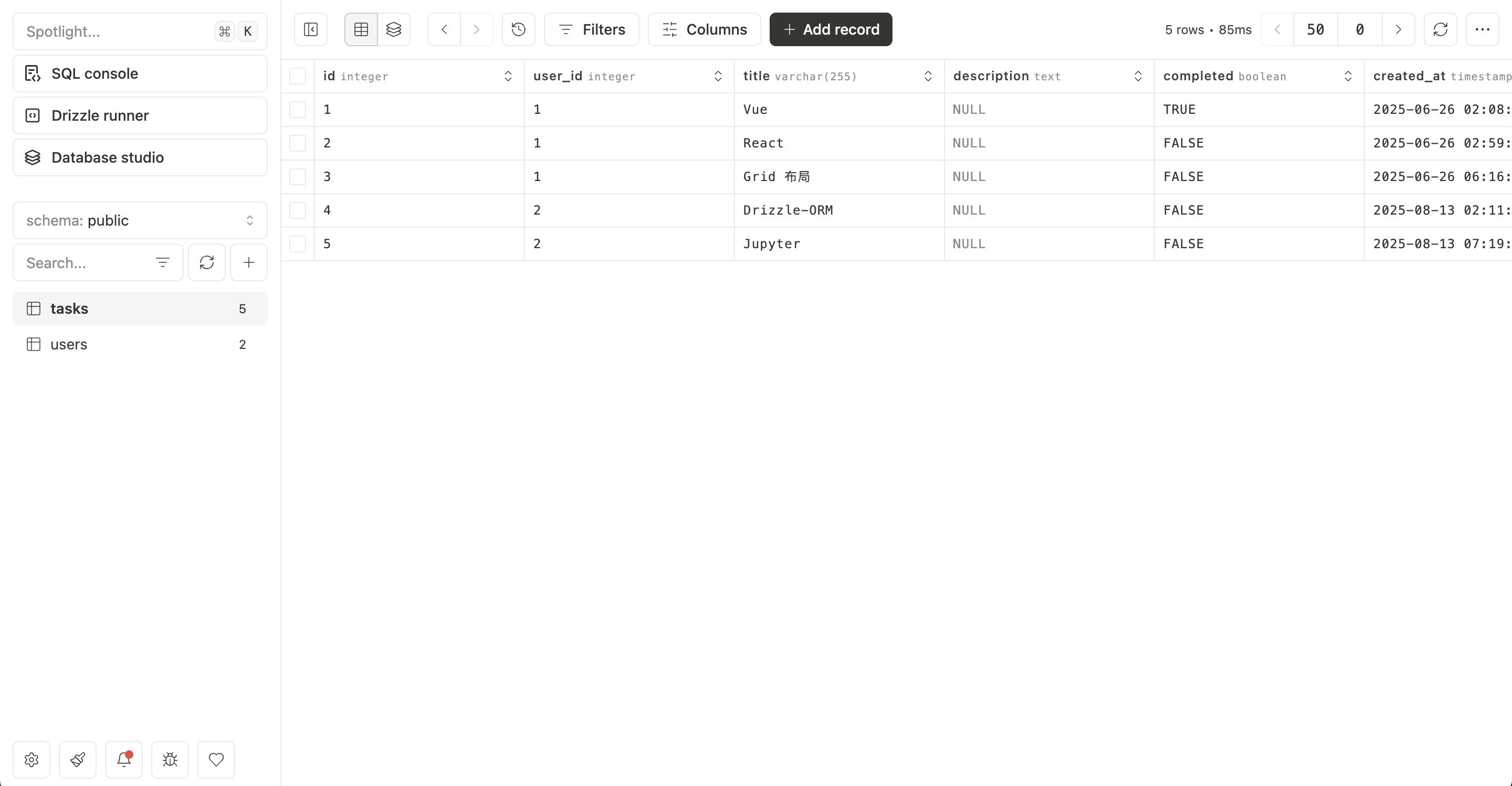
# Drizzle Studio
Drizzle Studio (opens new window) 提供了在 Drizzle-ORM 项目中探索 SQL 数据库的一种新方式。
$ npx drizzle-kit studio
# 其它
如果数据库工具(比如 TablePlus)中文乱码,该怎么处理?
设置 encoding 为 UTF8
SET client_encoding = 'UTF8';
# Source Code
cp3hnu/nextjs-todo (opens new window)
# 应用地址
https://nextjs-todo-liard-one.vercel.app/ (opens new window)